
Download Iperius Backup – Free, Secure & Automated PC Backup Tool
Overview – Why Iperius Backup Stands Out in the Crowd
Iperius Backup, developed by Enter Srl, is a versatile backup software designed specifically for Windows‑based PCs. It offers a solid blend of simplicity and power, letting both home users and small‑business professionals protect critical data without the steep learning curve of enterprise‑grade solutions. The free edition already supports a wide array of storage destinations – from local hard drives and external USB devices to network‑attached storage (NAS) and even remote servers. What truly differentiates Iperius Backup is its ability to schedule automated backups at user‑defined intervals, reducing the risk of human error and guaranteeing that your most recent files are always safely archived.
In addition to classic full and incremental backups, the tool can compress data into ZIP archives without any size restrictions, helping you save valuable disk space. A handy feature for power users is its support for file paths longer than 255 characters – a common limitation in many backup utilities that can cause failures when dealing with deep folder hierarchies. Email notifications keep you informed of each successful backup, while the intuitive graphical interface ensures you never feel lost in a sea of options. Though the free version lacks service‑mode installation and cross‑device syncing, the upgrade path unlocks cloud integration (Google Drive, OneDrive, Office 365), disk‑image handling, and database backup capabilities, making Iperius Backup a future‑proof choice for growing data‑management needs.
Key Features – What You Get Out of the Box
- Full, differential, and incremental backup strategies.
- Support for local drives, external USB/RDX devices, NAS, and remote servers.
- Unlimited ZIP compression – no file‑size ceiling.
- Automatic scheduling with flexible intervals (hourly, daily, weekly, monthly).
- Email notifications for successful or failed backup jobs.
- Handles file paths longer than 255 characters.
- Encryption options (AES‑256) for secure data storage.
- Restore wizard that simplifies recovery of individual files or whole systems.
- Command‑line interface for advanced scripting and automation.
- Integration with Microsoft Office 365 for cloud‑based file backup (Pro version).
Installation & Usage – Step‑by‑Step Guide to Get You Up and Running
Installing Iperius Backup is a straightforward process that takes just a few minutes. Begin by downloading the installer from the official website. The download page offers a 64‑bit Windows installer (compatible with Windows 7, 8, 10, and 11).
Once the executable is saved, double‑click to launch the wizard. Follow the on‑screen prompts: accept the license agreement, choose the installation folder (the default is perfectly fine for most users), and decide whether to create a desktop shortcut. After the files copy, the application launches automatically, presenting you with the main dashboard.
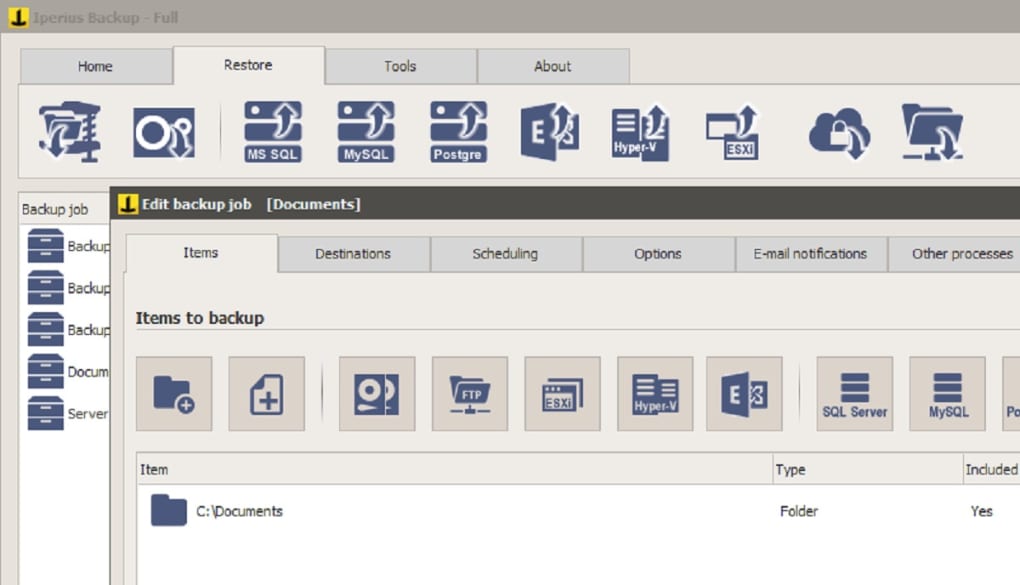
The first time you open Iperius Backup, you’ll be greeted by a wizard that helps you create your initial backup job. Select “New Backup Job,” then choose the source – this could be a local folder, an external USB drive, or a network share. Next, pick a destination: a local folder, a mounted network drive, or a cloud service (if you’ve upgraded). The wizard then asks how you’d like the backup to run: a one‑time backup, a scheduled task, or a continuous monitor. For most users, the “Schedule” option is the most practical; you can set it to run nightly at 02:00 AM, ensuring minimal impact on daily productivity.
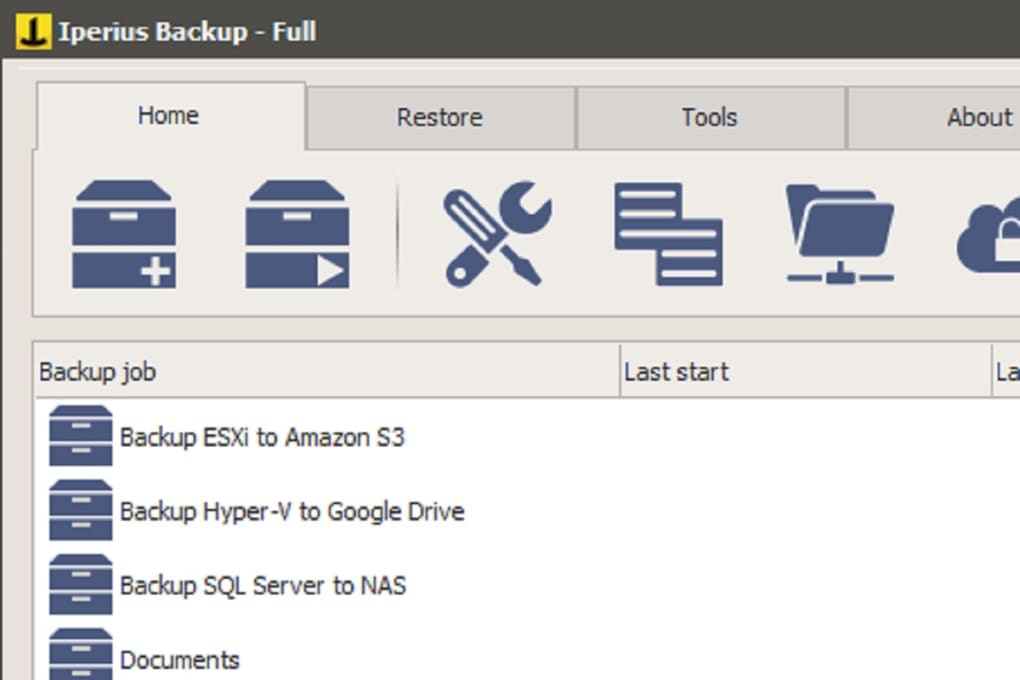
After configuring the schedule, you’ll see advanced options such as compression level, encryption password, and retention policy (how many backup copies to keep). Once you’re satisfied, click “Finish.” Iperius Backup will now appear in the Windows Task Scheduler, silently executing at the defined intervals. To monitor progress, return to the main interface where each job is listed with status icons, last run time, and any error messages.
If you receive an email notification, you’ll know the backup succeeded without needing to open the application. Restoring data is equally simple: select a job, click “Restore,” choose the point‑in‑time snapshot, and pick the files or folders you need. The wizard will guide you through the restoration path, whether you’re writing back to the original location or a new destination.
Compatibility, Pros & Cons – Is Iperius Backup Right for You?
Iperius Backup is built exclusively for Windows operating systems, supporting both 32‑bit and 64‑bit architectures. Official compatibility includes Windows 7 SP1, Windows 8/8.1, Windows 10 (all major updates), and Windows 11. The software runs smoothly on standard consumer PCs as well as on workstation‑class hardware, making it a solid choice for freelancers, small offices, and even larger enterprises that prefer an on‑premises solution. While the free edition covers most basic backup needs, power users may consider the paid Pro version for added capabilities such as service‑mode operation, cloud sync, and advanced database handling.
Pros
- Comprehensive support for a wide range of storage media.
- Robust scheduling engine that automates backups without user intervention.
- Unlimited compression and encryption keep backups secure and space‑efficient.
- Clear, user‑friendly interface that reduces the learning curve.
- Email alerts provide immediate feedback on backup health.
- Free version offers a generous feature set for home users.
- Pro upgrade adds cloud integration, service mode, and database backup.
Cons
- No built‑in service/daemon mode in the free edition – requires manual launch.
- Cross‑device synchronization is only available in the paid version.
- Lacks a macOS or Linux client; Windows‑only limits cross‑platform use.
- Advanced features (e.g., disk imaging) are locked behind a license.
- Initial setup can be intimidating for users unfamiliar with backup terminology.
Conclusion & Frequently Asked Questions – Take the Next Step with Iperius Backup
If you’re searching for a reliable, cost‑effective backup solution for your Windows PC, Iperius Backup delivers a compelling mix of features, flexibility, and ease of use. The free edition already covers essential backup scenarios, while the Pro version expands functionality to meet the demands of small businesses and IT professionals. By automating the backup process, compressing data efficiently, and offering robust notification mechanisms, Iperius Backup helps you safeguard your digital assets without sacrificing productivity. Ready to protect your files? Download Iperius Backup today and start creating peace of mind for your data.
FAQ – Your Most Common Questions Answered
-
Is the free version of Iperius Backup truly free, or are there hidden costs?
The free edition is completely free for personal and non‑commercial use. It includes full backup, scheduling, compression, and email notifications. Hidden costs only appear if you decide to upgrade to the Pro license for advanced features such as service‑mode operation, cloud storage, and database backups.
-
Can I back up files stored on a network‑attached storage (NAS) device?
Yes. Iperius Backup natively supports NAS devices via SMB/CIFS or NFS protocols. Simply add the network path as a source during the backup job creation, and the software will treat it like any local folder, applying the same scheduling and compression rules.
-
How does incremental backup work, and does it save bandwidth?
Incremental backups only copy files that have changed since the last successful backup, drastically reducing the amount of data transferred and stored. This approach conserves both network bandwidth and disk space, making it ideal for remote or limited‑bandwidth environments.
-
Is my data encrypted during transfer and at rest?
Iperius Backup offers AES‑256 encryption for both in‑transit and at‑rest data. You can enable encryption in the backup job settings and provide a strong password that will be required for any future restoration, ensuring your files remain confidential.
-
Can I restore individual files without having to recover the entire backup set?
Absolutely. The restore wizard lets you browse through any backup snapshot and select single files, folders, or whole directories for recovery. This granular approach saves time and avoids unnecessary data duplication.
Iperius Backup offers a remarkably robust set of features for a free Windows backup tool. Its scheduling flexibility, unlimited compression, and support for long file paths make it a standout choice for both novices and seasoned IT professionals. While the lack of service‑mode in the free version is a minor drawback, the optional Pro upgrade addresses this and adds cloud connectivity, making the software future‑proof. Overall, a solid 4.5‑star rating.
Pros
- Wide device compatibility
- Powerful automation
- Secure encryption
Cons
- No free service‑mode
- Windows‑only







